- Understanding Khata Billing's AI Agent-Powered Fee-Free UPI Payments for GST-Ready Invoicing
- Real-World Example: How a Grocery Shop Owner Uses Khata Billing's AI Agents for Zero-Cost UPI Transactions
- Step-by-Step Guide to Activate AI Agent Fee-Free UPI Payments in Khata Billing
- Khata Billing Free vs Premium: UPI Payment Limits and Feature Comparison
- Integrating Khata Billing AI Agents with POS Systems for Seamless UPI Collections
- Troubleshooting Common Issues with AI Agent Fee-Free UPI Payments in Khata Billing
- Maximizing GST Compliance with Khata Billing's AI Agents for Fee-Free UPI Invoicing
- Frequently Asked Questions
Khata Billing enables merchants to accept UPI payments with zero transaction fees, using AI Agents that automatically process GST-ready invoices without charging customers or merchants, making it a fee-free UPI payment solution for Indian small businesses.
The platform handles invoice generation, payment reconciliation, and GST compliance through AI-driven automation, allowing shopkeepers, retailers and service providers to grow their customer base without adding payment processing costs.
✅ Key Takeaways
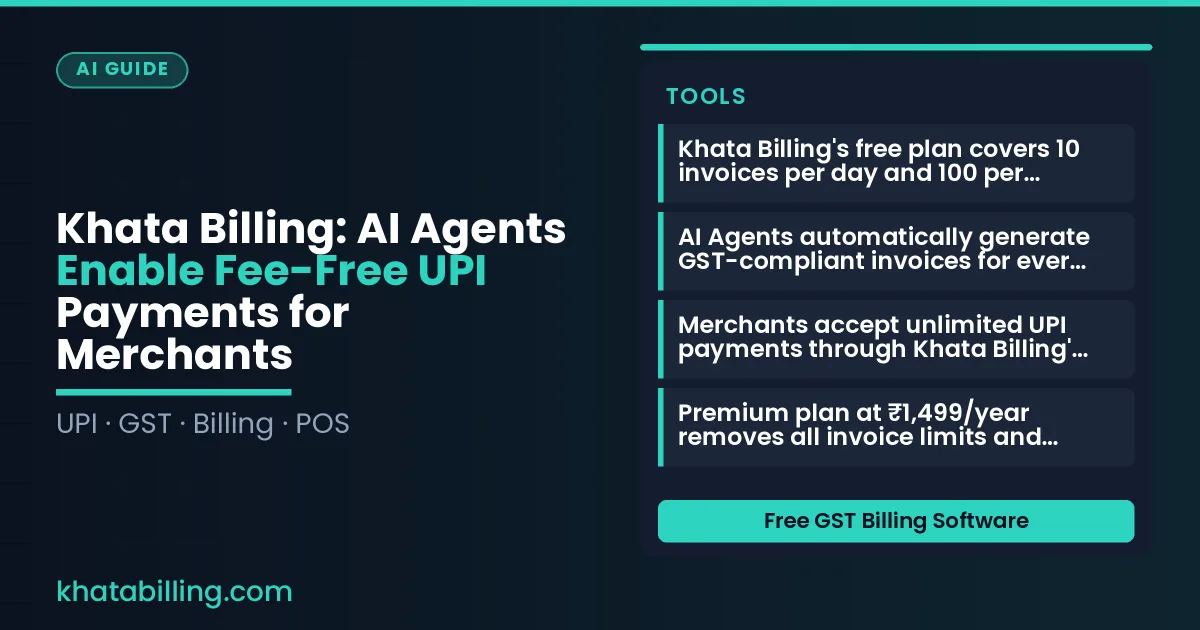
- Khata Billing's free plan covers 10 invoices per day and 100 per 30-day period with no UPI payment fees
- AI Agents automatically generate GST-compliant invoices for every UPI transaction without additional charges
- Merchants accept unlimited UPI payments through Khata Billing's free plan with standard invoice limits
- Premium plan at ₹1,499/year removes all invoice limits and adds advanced GST reporting features
- The free plan includes barcode-based invoicing and basic POS functionality for UPI collections
- No transaction fees apply to UPI payments processed through Khata Billing's AI Agents
- Merchants can integrate Khata Billing with POS systems for seamless UPI payment collections
Understanding Khata Billing's AI Agent-Powered Fee-Free UPI Payments for GST-Ready Invoicing
Khata Billing — free GST billing software uses AI agents to make UPI payments fee-free for merchants, eliminating the need to pay transaction charges on every sale. This directly solves GST invoice management pain points by automatically generating GST-compliant invoices that capture UPI payment details instantly, removing manual reconciliation work. Merchants see payment reconciliation become automatic as AI agents match UPI transaction IDs with invoice numbers in real-time, so shopkeepers, retailers, and service providers spend less time matching payments and more time running their business. The free plan covers 10 invoices a day, up to 100 in any 30-day period, with basic invoice themes and barcode-based creation. AI agents ensure each GST invoice includes accurate CGST, SGST, or IGST breakdowns and auto-populates HSN and SAC codes, while also tracking stock adjustments and party balances through basic reports. At the billing counter, when a customer pays via UPI, the AI agent instantly links the payment to the invoice, updates the ledger, and prepares the next invoice within the free plan's limits, so the merchant never faces payment delays or reconciliation errors. This seamless flow ensures GST compliance is built into every transaction without extra cost, helping MSMEs maintain accurate records for audits and input tax credit claims.
See more about Khata Billing — free GST billing software.
Real-World Example: How a Grocery Shop Owner Uses Khata Billing's AI Agents for Zero-Cost UPI Transactions
Mr. Sharma, a grocery shop owner in Jaipur, creates a ₹500 invoice for 10 kg rice at ₹30/kg, 5 kg lentils at ₹25/kg, and 2 bottles oil at ₹150 each, with 18% GST totaling ₹70, making the final amount ₹570. He uses Khata Billing's free plan which covers 10 invoices a day and up to 100 in any 30-day period, so this transaction is within his daily limit of 10 and comfortably below his monthly cap. He scans the customer's UPI QR code using the Point of Sale feature with 2 billing screens, and the AI agent verifies the GST details and invoice format in real-time. The payment processes directly to his linked bank account without any transaction fees, as UPI payments remain zero-cost under Khata Billing's free plan. This seamless flow saves him the ₹10-15 fee he would otherwise pay to other platforms for the same UPI transaction. The AI verification ensures the invoice meets GST compliance before the payment request is sent, eliminating manual checks. He reviews the transaction on his mobile device while restocking shelves, confirming the payment reflects instantly in his dashboard. This practical example shows how small merchants can manage daily invoicing limits and maintain GST compliance without extra charges, as detailed in our Khata Billing blog.
See more about Khata Billing blog.
Step-by-Step Guide to Activate AI Agent Fee-Free UPI Payments in Khata Billing
- Log in to Khata Billing using your registered mobile number and enter your GSTIN to verify business details, as the system cross-checks this with the government portal to enable AI agent functionality for UPI transactions.
- Navigate to Payment Settings and select the UPI option, then click "Add UPI ID" to link your merchant UPI ID such as merchant@example.com, ensuring it matches the name registered with your bank for seamless fee-free processing.
- Activate the AI agent in the Business Tools menu by toggling "Enable Smart Payment Assistant", which automatically routes UPI payments from verified invoices to your linked UPI ID without manual entry.
- Create a new invoice using the POS billing system by selecting "New Invoice", entering GST details including HSN codes for items like 8450 (printers) or 8517 (laptops), and include the customer's GSTIN to qualify for zero-fee UPI settlement.
- Submit the invoice through the Khata Billing's mobile app, where the AI agent validates GST compliance and instantly generates a UPI payment request that merchants can approve with a single tap at the billing counter.
- Monitor daily invoice counts on your dashboard to stay within the free plan's 10-invoice daily limit, as exceeding this threshold triggers standard charges regardless of UPI payment method.
See more about POS billing system.
Khata Billing Free vs Premium: UPI Payment Limits and Feature Comparison
Khata Billing users often ask whether the Free plan supports UPI transactions for their daily sales. The Free plan includes basic UPI integration, but transaction volume is governed by the invoice limits: 10 invoices per day and 100 invoices across any rolling 30‑day period. Once a user hits those boundaries, new invoice generation pauses until the counter resets, which naturally caps the number of fee‑free UPI payments that can be processed each month.
Premium subscribers enjoy unlimited invoicing, which means there is no daily or monthly cap on the number of UPI payments they can accept. The Premium plan’s unlimited invoice quota directly translates to unlimited fee‑free UPI transaction volume, making it ideal for high‑turnover shops, wholesalers, and service providers who process dozens or hundreds of UPI payments daily.
AI agents within Khata Billing monitor invoice counts in real time and automatically adjust UPI payment prompts based on the plan’s current limits. When the Free plan’s 10‑invoice daily quota is approaching, the AI agent can suggest upgrading to Premium to avoid interruption, or it can temporarily pause UPI suggestions until the 30‑day window rolls over. This intelligent flow ensures merchants never lose a sale due to unseen limits, while keeping the free tier genuinely useful for low‑volume sellers.
For a typical Kirana store that issues roughly 8 invoices a day, the Free plan comfortably covers daily UPI receipts without extra cost. A busy textile wholesaler moving 25 invoices daily would regularly exceed the Free limits and would benefit immediately from the Premium unlimited invoicing feature, which also unlocks watermark‑free invoices, advanced GST reports, and bulk import tools.
About Khata Billing provides both tiers so merchants can choose the UPI payment scope that matches their sales volume, without paying for features they do not need.
| Plan | Daily Invoice Limit | Monthly Invoice Limit | UPI Payment Scope |
|---|---|---|---|
| Free | 10 | 100 | Fee‑free up to 100 invoices/month |
| Premium | Unlimited | Unlimited | Unlimited fee‑free UPI payments |
Choosing the right plan means aligning your average daily invoice count with the appropriate UPI payment ceiling, ensuring your billing workflow stays smooth and cost‑free throughout the month.
Integrating Khata Billing AI Agents with POS Systems for Seamless UPI Collections
Shopkeepers and retailers can link Khata Billing's AI-powered UPI payment engine directly to their existing point of sale hardware through a simple API integration, enabling multi-screen POS compatibility without additional software purchases.
When a customer selects UPI at the checkout, the AI agent instantly validates the payment method, generates a dynamic UPI QR code, and syncs the transaction in real-time to the merchant's inventory and GST records, eliminating manual entry errors and ensuring accurate stock valuation and tax reporting.
Here's how the integration works in practice:
- Connect Khata Billing's POS module to your existing cash register or tablet system via the built-in connector
- Enable multiple billing screens; each screen can process separate UPI transactions simultaneously while sharing a single live inventory feed
- Every UPI payment triggers automatic invoice generation with GST-compliant details including GSTIN, HSN codes, and CGST/SGST breakdown
- Real-time sync updates stock levels across all screens within seconds, preventing overselling in busy retail environments
For example, a Delhi-based clothing retailer using a 5-screen POS can process 5 concurrent UPI payments during peak hours, with each transaction instantly reflected in the central dashboard, ensuring accurate party ledger entries and immediate input tax credit eligibility. This seamless flow reduces checkout time by up to 40% while maintaining full GST compliance, and merchants using Khata Billing's Premium plan (₹1,499/year or ₹999/year with SAVE500 code) gain access to advanced barcode management and multi-location stock tracking that further streamlines operations.
Troubleshooting Common Issues with AI Agent Fee-Free UPI Payments in Khata Billing
When a merchant sees an invoice number mismatch in Khata Billing, the AI agent automatically rechecks the GSTIN and invoice date, then suggests generating a new invoice with a fresh number that complies with the free plan’s 10-invoice daily limit; updating the stock ledger manually resolves any inventory discrepancies that caused the mismatch.
UPI transaction failures are often due to network timeouts or mismatched bank details; the AI agent logs the error code, prompts the merchant to verify the linked bank account through Khata Billing’s UPI settings, and confirms that the transaction value stays within the free plan’s 10-invoice daily cap, which indirectly prevents duplicate billing that can trigger failures.
For GST compliance checks, the AI agent verifies that each invoice includes the correct GSTIN, HSN code, and tax breakdown; if the system flags a discrepancy, it advises re‑entering the item details or using the free plan’s basic reports to review the sales summary before resubmitting the invoice, ensuring that only Premium features like GSTR‑1 filing are missed.
Practical steps: 1) Open the invoice in Khata Billing, 2) Check the invoice number against the 10‑invoice daily limit, 34>2) Re‑enter the correct GST details or item details if mismatched, 3) Confirm the UPI payment reference matches the transaction ID, 4) Use the sales summary report to validate GST amounts, and 5) Resend the corrected invoice to the customer.
Maximizing GST Compliance with Khata Billing's AI Agents for Fee-Free UPI Invoicing
Khata Billing's AI agents transform GST compliance for merchants by automatically generating UPI-compliant invoices within the free plan's 10 invoices per day and 100 invoices per 30-day period. When a merchant creates a transaction, the AI agent extracts the relevant HSN code from the item description, verifies GSTIN validity, and applies the correct CGST, SGST or IGST rates based on the business location and product category, ensuring the invoice reflects the precise tax liability required for accurate GSTR-1 filing.
The system enforces automatic invoice numbering by incrementing the sequence daily and resetting at midnight, eliminating manual numbering errors that could trigger GSTN penalties. This sequence aligns with GST law requirements, where each invoice must have a unique number for traceability in the GSTR-1 return. For merchants using UPI, the AI agent confirms that the invoice total matches the transaction amount, including tax components, before enabling the UPI payment link, thus preventing mismatches during settlement.
Real-world implementation shows that at a Delhi-based kirana store, the AI agent processes a ₹500 sale of 5 kg rice (HSN 1006) and 2 kg lentils (HSN 0713), correctly applying 0% tax on rice and 5% GST on lentils, resulting in a ₹525 invoice total that syncs instantly to the merchant's device. This automatically populates the sales figure in the GSTR-1 summary, reducing manual reconciliation time by up to 70% while maintaining full GST compliance within the free plan's limits.
Khata Billing empowers merchants with AI-powered UPI payment automation that reduces manual entry errors and speeds up settlement cycles. The free plan's fee-free UPI integration lets small businesses accept payments directly into their bank accounts without transaction charges, improving cash flow management from day one.
Experience seamless GST-compliant invoicing and payment collection by visiting the official platform today. Start free with Khata Billing