- Understanding UPI Payment Changes and Their Impact on Small Merchants
- Real-World Example: Calculating UPI Transaction Limits and Invoicing with Khata Billing Free Plan
- Step-by-Step Guide: Setting Up UPI Payment Tracking in Khata Billing
- Khata Billing Free vs Premium: Feature Comparison for UPI Payment Management
- Integrating Khata Billing with UPI Apps to Automate GST Compliance
- Troubleshooting Common UPI Payment Issues with Khata Billing's Real-Time Dashboard
- Action Plan: Transitioning from UPI Confusion to GST-Ready Business Operations
- Frequently Asked Questions
Khata Billing helps small merchants navigate UPI payment changes by automatically tracking transactions and generating GST-compliant invoices within the 10-invoice daily limit and 100-invoice monthly cap of the free plan.
These UPI payment changes affect transaction limits, settlement cycles, and GST compliance requirements that directly impact daily sales operations for shopkeepers, retailers, and service providers across India.
✅ Key Takeaways
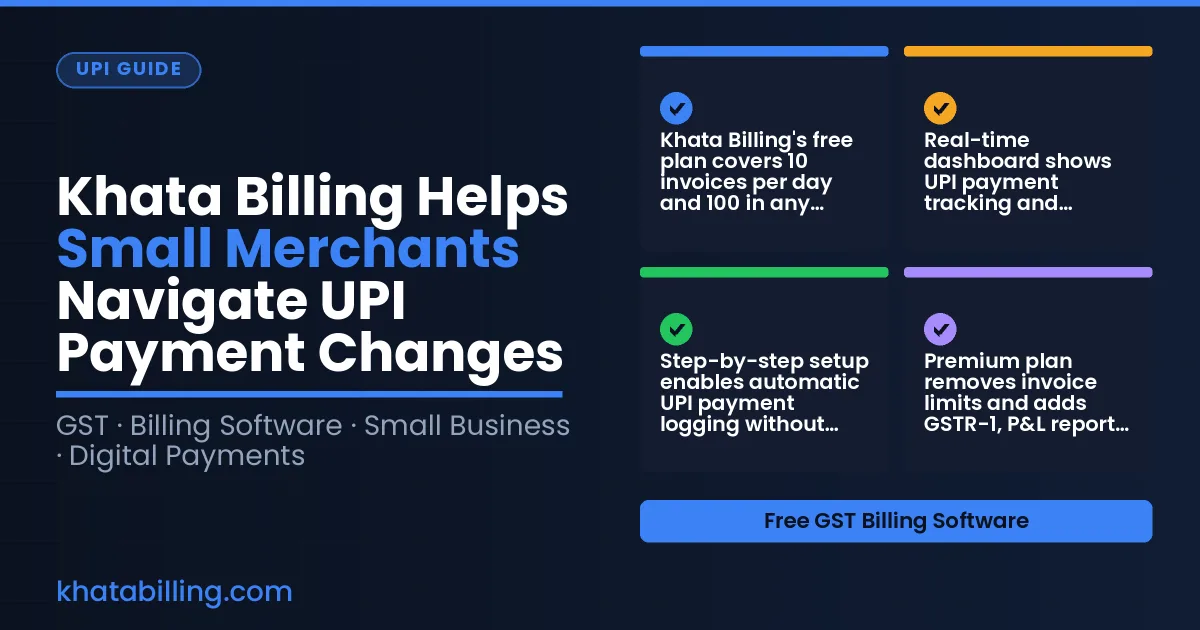
- Khata Billing's free plan covers 10 invoices per day and 100 in any 30-day period, preventing UPI transaction overload
- Real-time dashboard shows UPI payment tracking and GST-compliant invoicing for small merchants
- Step-by-step setup enables automatic UPI payment logging without manual entry
- Premium plan removes invoice limits and adds GSTR-1, P&L reports for full GST compliance
- Integration with UPI apps automates GST reporting through Khata Billing's real-time data sync
- Free plan supports up to 2 billing screens in Point of Sale for UPI transaction management
- Transitioning to GST-ready operations starts with Khata Billing's structured invoicing workflow
Understanding UPI Payment Changes and Their Impact on Small Merchants
Recent UPI payment regulation updates have tightened daily transaction limits for merchants, reducing settlement cycles from instant to a mandatory 24-hour holding period before funds reach the bank. These changes directly impact small merchants who rely on immediate cash flow for inventory purchases and daily operations. Khata Billing — free GST billing software helps merchants adapt by automatically generating GST-compliant invoices that align with new UPI settlement timelines, ensuring accurate record-keeping for input tax credit claims. The platform's free plan covers 10 invoices a day, up to 100 in any 30-day period, while Premium offers unlimited invoicing with no timing restrictions. Merchants using Khata Billing's barcode-based invoice creation can reconcile UPI payments with stock movements in real time, preventing discrepancies during GST filings. For example, a Delhi-based kirana store processing ₹5,000 in daily UPI sales must now reconcile each transaction within 24 hours to maintain accurate party ledger entries. With Khata Billing's GST-ready reports, including Profit & Loss and GSTR-1 (Premium features), merchants can quickly validate tax liabilities before filing deadlines. The system's auto-sync feature ensures desktop and mobile devices reflect updated balances instantly, eliminating manual reconciliation errors. By integrating Khata Billing's tools, small businesses maintain compliance without disrupting their UPI payment workflow.
See more about Khata Billing — free GST billing software.
Real-World Example: Calculating UPI Transaction Limits and Invoicing with Khata Billing Free Plan
A typical Delhi kirana shopkeeper named Rajesh records daily UPI sales on his phone. He sells 10 packets of biscuits at ₹25 each (5% GST), 8 loaves of bread at ₹40 each (18% GST), and 5 bottles of oil at ₹200 each (5% GST). Each item generates one invoice, so his total invoice count for the day is 23. The free plan of Khata Billing allows 10 invoices per day, so Rajesh must split the sales into two days: on Day 1 he invoices the first 10 items (e.g., 5 biscuit packets, 3 bread loaves, 2 oil bottles) and on Day 2 he invoices the remaining 13 items. This keeps him within the 10-invoice-per-day limit and the 100-invoice 30-day limit. Using Khata Billing's free plan, he creates each invoice with the standard GST layout, auto-generates barcodes for items, and adds the correct CGST and SGST rates. He views the sales summary widget on his dashboard to ensure daily totals stay under the limit. The platform also lets him set up a custom field for customer notes, which he uses to record special orders. For any invoice beyond the 10-per-day cap, he simply delays the creation until the next day, avoiding penalties. He can also print thermal receipts at the billing counter without extra cost. Learn more on the Khata Billing blog.
See more about Khata Billing blog.
Step-by-Step Guide: Setting Up UPI Payment Tracking in Khata Billing
Khata Billing helps small merchants adapt to UPI payment changes by automating transaction tracking and invoice generation through a simple setup process. First, log in to your Khata Billing account on the mobile app or web portal. Next, navigate to the Business Profile section and enter your shop name, address, and GSTIN number, which ensures GST compliance for every generated invoice. Then, select the Bank Account option and enter your IFSC code, account number, and bank name to link your primary business account; this step enables automatic UPI transaction imports. After linking, go to the Settings menu and turn on 'Auto Invoice Generation' to trigger immediate invoice creation for each UPI payment received. Finally, customize your invoice theme and enable barcode scanning for customer receipts, which streamlines the checkout process at your billing counter. Visit About Khata Billing to learn more about how this solution supports GST filing and daily operations for Indian retailers. The platform ensures every UPI transaction is recorded with accurate GST details, and watermark-free invoices become available when you upgrade to Premium for ₹1,499/year or ₹999/year with code SAVE500.
Khata Billing Free vs Premium: Feature Comparison for UPI Payment Management
Khata Billing's UPI payment management strategy hinges on choosing the right plan for daily transaction volume. The free tier supports basic operations but enforces strict invoice caps: merchants can generate only 10 invoices per day and a maximum of 100 in any rolling 30-day period. This limit becomes critical during peak sales when UPI transactions spike, as exceeding the daily count forces manual batch processing or delayed billing that disrupts cash flow. In contrast, the Premium plan removes all invoicing restrictions, enabling seamless UPI transaction handling without counting limits. It also unlocks GSTR-1 export functionality, allowing merchants to reconcile UPI payments with GST filings automatically rather than manually matching transaction data. While the free plan includes basic POS billing system features like 2 billing screens and barcode generation, it lacks advanced UPI reconciliation tools. Premium users gain unlimited invoicing, GSTR-1 export, and access to GST-ready invoice themes that ensure UPI payment records meet e-invoicing compliance. For merchants processing over 10 daily UPI transactions or anticipating seasonal sales surges, the upgrade to Premium at ₹999/year (with code SAVE500) or ₹1,499/year becomes essential to maintain smooth UPI payment operations without workflow interruptions.
See more about POS billing system.
Integrating Khata Billing with UPI Apps to Automate GST Compliance
Khata Billing connects directly to UPI payment apps like Google Pay and PhonePe through secure API integration, allowing merchants to automatically sync UPI payment notifications into their GST-compliant records. When a customer pays via Google Pay, the transaction detail including amount, date, and customer mobile number flows into Khata Billing without manual entry, eliminating errors during UPI payment changes. This auto-sync creates GST-compliant invoices instantly by matching the UPI payment ID with the corresponding sales entry, ensuring accurate GSTIN attribution and proper tax calculation. For example, a ₹1,200 payment via Google Pay triggers an invoice with ₹1,176 (98%) as taxable value and ₹24 (2%) GST, automatically applying CGST and SGST components as per GST law. Merchants can configure Khata Billing to match UPI transaction IDs with invoice numbers, enabling one-click reconciliation. The system also supports auto-generation of GSTR-1 filings for UPI-based sales, reducing end-of-month paperwork. By eliminating manual data entry, merchants avoid mismatches between UPI records and GST returns, which commonly cause audit flags. With Khata Billing’s free plan covering up to 10 invoices daily and 100 monthly, small retailers can maintain full compliance even during high-volume UPI transaction periods, while Premium users enjoy unlimited invoice generation for larger operations.
Troubleshooting Common UPI Payment Issues with Khata Billing's Real-Time Dashboard
Khata Billing's real-time sales dashboard immediately highlights failed UPI transactions through color-coded alerts, allowing shopkeepers to quickly verify if a payment notification matches the recorded invoice. When a customer reports a failed transfer, the merchant can open the dashboard, locate the pending transaction by timestamp or amount, and check whether the UPI app shows a success message or error code. This reconciliation prevents discrepancies between the merchant's app notification and the actual invoice record, which is critical for maintaining accurate GST input tax credit claims and avoiding reconciliation delays during monthly filings.
For example, if an UPI payment shows as successful in the customer's app but the Khata Billing invoice remains unpaid, the dashboard displays the transaction status as
Action Plan: Transitioning from UPI Confusion to GST-Ready Business Operations
Start by reviewing every UPI transaction from the past 30 days to understand current usage patterns, including frequency and average value, so you can plan for Khata Billing's free plan limits of 10 invoices per day and 100 per month. Next, log into Khata Billing's free plan dashboard to enable automatic invoice generation using barcode scanning for each UPI payment, ensuring daily totals stay within the 10-invoice cap while maintaining GST compliance with proper GSTIN and HSN code entry. Finally, schedule a 30-day transition timeline to upgrade to Premium Plan at ₹999/year with code SAVE500 before the next GST filing deadline, as unlimited invoicing and advanced GST reports like GSTR-1 and Profit & Loss become essential for avoiding penalties when UPI transaction volumes exceed free plan boundaries. This phased approach prevents missed deadlines, reduces manual entry errors at the billing counter, and ensures your stock room updates sync in real time across devices, keeping party ledgers accurate for input tax credit claims and daily cash reconciliation.
Khata Billing keeps your GST-compliant invoicing and UPI collections running smoothly when payment rules shift, letting you focus on sales instead of paperwork.
Stay ahead of UPI rule changes with automatic invoice generation and real-time tracking. Start free with Khata Billing