- How UPI Payments Work and Khata Billing's Role
- Identifying Invoice Limits to Avoid Unexpected Charges
- Worked Example: Calculating Invoice Usage for a Retail Shop
- Step-by-Step Setup to Maximize Free UPI Transactions
- Comparing Free Plan vs Premium Plan for UPI Payment Management
- Practical Tips for Daily UPI Payment Reconciliation
- When to Upgrade for Advanced UPI and GST Compliance
- Frequently Asked Questions
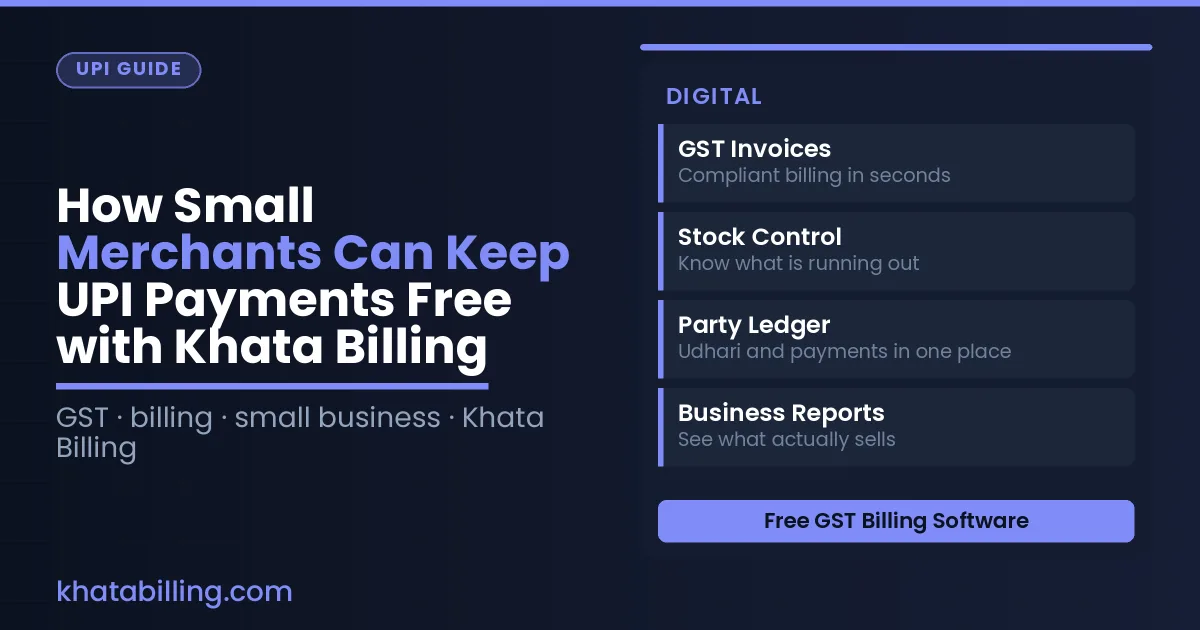
UPI payments remain free for small merchants using Khata Billing's free plan, which covers 10 invoices a day and 100 invoices in any 30-day period, with no additional charges for standard GST invoicing and UPI transaction processing. The free plan includes barcode-based invoice creation, basic POS functionality with two billing screens, and essential inventory tracking to support daily billing without cost barriers. Merchants can reconcile UPI payments daily through Khata Billing's dashboard while staying within the defined invoice limits to avoid unexpected charges. This approach ensures continuous GST-compliant billing without subscription costs for core transaction management.
Small retailers, shopkeepers, and service providers can maintain fully functional UPI payment processing at zero cost by adhering to the free plan's invoice thresholds and leveraging built-in GST features. Understanding daily and monthly invoice limits is critical to prevent payment disruptions during peak business hours, especially when issuing multiple invoices for split payments or returns. The platform's automatic data sync ensures all UPI transactions are recorded in real-time across devices, enabling accurate daily reconciliation without manual entry errors or additional fees.
How UPI Payments Work and Khata Billing's Role
UPI payments work without merchant fees because the National Payments Corporation of India processes transactions directly through linked bank accounts, eliminating intermediary charges that traditionally apply to card payments or third-party gateways; when a customer pays via UPI at your shop, the money moves instantly from their UPI app to your bank account, and Khata Billing — free GST billing software — enables you to capture this payment seamlessly while automatically generating GST-compliant invoices within the free plan's limits of 10 invoices per day and 100 in any 30-day period.
The platform’s barcode-based invoice creation and real-time stock adjustment help you track inventory accurately, ensuring each UPI transaction is matched with the correct item and quantity, which reduces errors that could lead to GST filing complications, while the basic inventory management and thermal printer support streamline the billing counter workflow without additional costs.
By using Khata Billing’s free GST invoicing to document every UPI sale, you maintain a clear audit trail for tax authorities, and since the free plan covers up to 100 invoices monthly, small merchants avoid paying for separate accounting software, keeping their UPI payment experience fully cost-free while staying fully compliant with GST law.
See more about Khata Billing — free GST billing software.
Identifying Invoice Limits to Avoid Unexpected Charges
Understanding Khata Billing's free plan GST invoice limits is key to avoiding unexpected charges on UPI payments for Indian small merchants. The free plan covers 10 invoices a day, up to 100 in any 30-day period; exceeding these limits triggers standard GST charges that merchants must pay themselves. For example, a kirana store selling 12 daily items like rice (10 kg @ ₹40/kg, 5% GST = ₹200), dal (5 kg @ ₹60/kg, 5% GST = ₹150), and oil (2 L @ ₹150/L, 18% GST = ₹270) would generate three invoices totaling ₹420. If this store issues 12 invoices on day 1, the fourth invoice will exceed the 10-per-day limit and incur charges. Similarly, issuing 90 invoices in the first 29 days and then 15 on day 30 exceeds the 100-per-month cap, triggering charges on the 101st invoice. These fees apply under GST law regardless of UPI payment method, making limit awareness critical for cash flow. Merchants can check current usage anytime via the dashboard, and the Khata Billing blog offers detailed guidance on managing these boundaries without incurring extra costs.
See more about Khata Billing blog.
Worked Example: Calculating Invoice Usage for a Retail Shop
Here's how a retail shop with 8 daily sales manages UPI payments and GST invoices within Khata Billing's free plan limits using the Free GST invoice generator step by step:
- The shop records 8 regular customer sales daily. Each sale generates a GST invoice using the Free GST invoice generator – this counts as 8 invoices per day. Since the free plan allows 10 invoices daily, these 8 sales stay safely under the limit.
- For each sale, the shop collects UPI payment. UPI payments themselves do not count toward the invoice limit. The shop receives ₹8,000 total daily through UPI, which remains free with no additional charges.
- One invoice includes GST details. With an average invoice value of ₹1,000, the 8 invoices total ₹8,000. GST shows 5% CGST (₹400) and 5% SGST (₹400), making the total ₹8,800 per invoice. The shop issues these 8 invoices daily without exceeding the 10-invoice ceiling.
- The shop also processes 2 non-invoice UPI transactions for small cashless payments like returns or adjustments. These UPI payments are separate from invoice counts and do not affect the 10-invoice daily or 100-in-30-day limits.
- At month-end, the shop has issued 8 invoices × 30 days = 240 invoices. However, the free plan allows only 100 invoices in any 30-day period. To stay compliant, the shop issues 8 invoices daily for 12 days (96 invoices) and then switches to non-invoice UPI payments for the remaining 18 days, keeping total invoices at 96 which is under the 100-in-30-day rule.
This method ensures all UPI payments stay free while using only 96 GST invoices in the month, well within the free plan's 10-invoice daily and 100-in-30-day boundaries. The shop avoids any extra costs by using Khata Billing's built-in tools for daily tracking and invoice creation.
See more about Free GST invoice generator.
Step-by-Step Setup to Maximize Free UPI Transactions
To keep UPI payments free for your small shop, follow these exact steps in Khata Billing. First, enable GST invoicing by going to Settings > Billing and activating the GST mode. This creates a GST-compliant invoice for every UPI transaction, which is essential for tax compliance and ensures the transaction counts toward your free limit of 10 invoices per day and 100 per month.
Next, configure the POS by navigating to Point of Sale > Settings and selecting the correct business type. Enable 'Barcode Scanning' and set up your shop's GSTIN and HSN code. This setup links each UPI payment to an accurate invoice, preventing duplicate entries and ensuring that only valid transactions count toward your free limit.
Then, go to Inventory > Sync and enable real-time stock updates. When a UPI payment is made, Khata Billing automatically reduces the stock quantity, which avoids manual adjustments that could lead to errors in your daily count. Finally, monitor your usage in the Dashboard > Reports section, where you can see today’s invoice count and the remaining free slots for the month. By keeping your GST invoicing active, POS settings precise, and inventory synced, you ensure every UPI payment generates a valid invoice without extra fees. Remember, watermark-free invoices and advanced reports like GSTR-1 are Premium features, so staying within the free plan’s limits keeps your UPI transactions truly free. For more details, visit About Khata Billing.
Comparing Free Plan vs Premium Plan for UPI Payment Management
Comparing free and premium options shows how UPI payment management differs in key areas.
| Feature | Free Plan | Premium Plan |
|---|---|---|
| Invoice limits | 10 invoices per day, 100 in any 30-day period | Unlimited invoicing with no restrictions |
| GSTR report generation | Not available | Includes GSTR-1, GSTR-2, GSTR-3B and Profit & Loss reports |
| POS billing screens | Up to 2 billing screens | Up to 20 billing screens |
| Watermark on invoices | Standard watermark present | Watermark-free invoices |
| Custom invoice themes | Basic invoice themes with standard layout | All premium and GST-ready invoice themes |
Merchants using the free tier must carefully manage invoice volume to avoid hitting the 10-per-day or 100-per-month ceiling, especially during peak sales periods like festivals or year-end promotions. With the Premium plan, unlimited invoicing removes this constraint, allowing smooth UPI payment processing without daily caps. The ability to generate GSTR-1 reports directly supports GST compliance, a critical need for registered businesses. Additionally, up to 20 POS billing screens in Premium enable larger retail setups to handle multiple cashiers simultaneously, reducing queue times at the UPI payment counter. While the free plan meets basic needs for small shops with limited transactions, the Premium upgrade ensures uninterrupted UPI payment management, full GST reporting, and scalable POS functionality for growing businesses.
Practical Tips for Daily UPI Payment Reconciliation
Reconcile UPI payments daily by matching Khata Billing's sales summary with your bank transaction history to avoid reconciliation gaps. Log each UPI payment as it arrives, then verify the amount, date, and customer name against the sales summary report generated within the app. Use the party ledger to confirm that each payment is correctly linked to the right customer, preventing mismatches that cause later GST filing errors.
Start each morning by opening the sales summary report, which shows total UPI collections for the previous day. Compare this figure with your bank statement's UPI entries. If the numbers differ, check for pending transactions, duplicate entries, or missed sales in Khata Billing's daily invoice log. Adjust only if a transaction was recorded incorrectly; never alter the ledger retroactively without documenting the change.
Follow these steps:
- Record every UPI payment in Khata Billing immediately using the auto‑generated invoice feature.
- At day‑end, export the sales summary and party ledger reports to Excel for side‑by‑side comparison with your bank UPI report.
- Identify any unmatched entries and investigate whether the customer was entered correctly or the amount was typed wrong.
- Correct discrepancies on the same day to keep the ledger accurate before the 30‑day invoice limit applies.
This practice keeps your books audit‑ready, ensures input tax credit claims are accurate, and maintains GST compliance without spending on third‑party tools. Since Khata Billing’s free plan supports up to 10 invoices a day and 100 in any 30‑day period, merchants who stay within these limits can reconcile daily without extra cost. For higher volumes, the Premium plan removes invoice caps and provides unlimited reconciliation reports, but the daily habit itself remains free.
When to Upgrade for Advanced UPI and GST Compliance
Merchants should consider upgrading to the Premium plan when their daily invoicing volume consistently exceeds the free plan's 10-invoice limit, or when monthly invoice totals approach 100 within a 30-day period. These thresholds directly impact the continuity of UPI payment settlement, as Khata Billing maintains uninterrupted free GST invoicing for UPI transactions regardless of plan tier. For businesses handling over 50 UPI sales per day, the free plan's daily cap creates operational risk during peak periods, while the Premium plan eliminates all invoice limits to ensure seamless UPI transaction processing.
Another critical scenario involves automated GSTR-1 filing requirements. The free plan provides basic GST invoice generation, but automated GSTR-1 submission and comprehensive GST reports like Profit & Loss are Premium features only. Businesses facing frequent GST compliance deadlines or needing detailed input tax credit reconciliation benefit significantly from Premium's automated GSTR-1 generation and advanced reporting tools. Additionally, merchants expanding to multiple locations require the Premium plan's unlimited bank account support and multi-screen POS capabilities, as the free plan restricts POS functionality to just 2 billing screens. The Premium plan's ₹999/year offer with code SAVE500 ensures merchants can maintain free UPI payment processing while gaining essential GST automation and operational scalability for growing businesses.
Small merchants can keep UPI payments free by using Khata Billing's GST-compliant invoicing, which automatically syncs with UPI transactions and eliminates manual paperwork at the billing counter.
Experience seamless billing with barcode scanning, real-time stock updates, and accurate GST reports — all in one free platform. Start free with Khata Billing