- Why POS Software Matters for GST and Inventory Management
- Understanding UPI Transaction Costs and How POS Software Reduces Them
- Step-by-Step: Setting Up Digital Inventory Tracking with POS Software
- Worked Example: Calculating UPI Savings and Stock Accuracy Improvements
- Manual Register vs Digital Billing: Cost and Efficiency Comparison
- Integrating POS Software with GST Filing and Input Tax Credit Workflow
- Optimizing Daily Operations: POS Software for Real-Time Stock and UPI Reconciliation
- Frequently Asked Questions
POS Software helps Indian shopkeepers manage UPI costs and inventory efficiently while complying with GST requirements. This article explains how digital POS solutions reduce transaction fees and improve stock accuracy for small businesses.
Khata Billing's POS Software features automatic UPI reconciliation, barcode-based inventory tracking, and GST-compliant invoicing that directly address daily operational challenges in retail and service environments.
✅ Key Takeaways
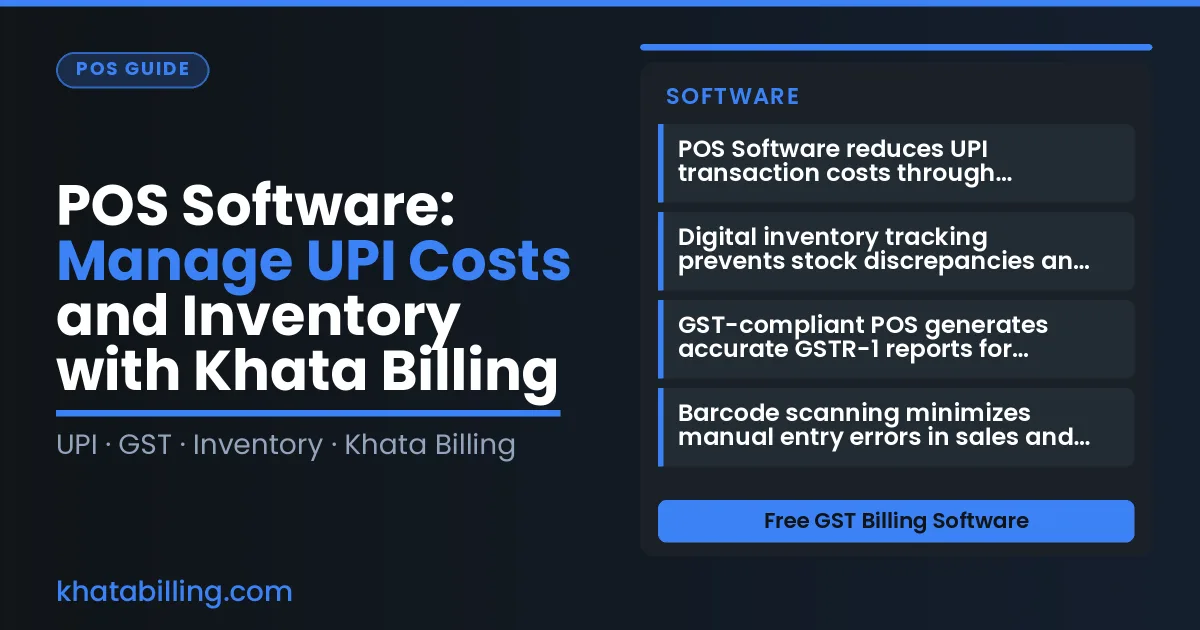
- POS Software reduces UPI transaction costs through automatic fee calculation and reconciliation
- Digital inventory tracking prevents stock discrepancies and improves order fulfillment rates
- GST-compliant POS generates accurate GSTR-1 reports for seamless tax filing
- Barcode scanning minimizes manual entry errors in sales and inventory management
- Real-time stock updates enable better purchasing decisions and reduce waste
- Khata Billing's POS Software integrates with UPI to lower processing costs for small merchants
- Automated billing cuts administrative time spent on manual register operations
Why POS Software Matters for GST and Inventory Management
Point-of-sale (POS) software is the digital cash register and inventory manager that Indian shopkeepers and retailers use to record every sale, issue GST invoices, and track stock in real time, all from a single interface that connects to UPI payments and GST filing.
By capturing each transaction with an auto-generated invoice that includes GSTIN, HSN codes, and tax breakdowns (CGST, SGST, or IGST), POS software ensures that sales data feeds directly into GSTR-1 returns, eliminating manual entry errors and supporting accurate input tax credit claims for small businesses.
The system also updates inventory counts instantly when items are sold, adjusts stock levels across devices, and flags low stock, so retailers never overstock or miss a sale, maintaining inventory accuracy that matches GST compliance requirements.
For a shopkeeper using manual paper registers, reconciling daily sales with GST filings is time‑consuming and error‑prone; a POS solution automates the flow from the billing counter to the tax portal, reducing the risk of mismatched invoices and simplifying the daily reconciliation process.
Khata Billing — free GST billing software — offers a POS module that supports up to two billing screens in its free tier and unlimited screens in the Premium plan, allowing shopkeepers to scale their operations without compromising GST compliance or inventory precision.
With real‑time stock adjustments, barcode scanning, and integration to UPI, the POS software helps retailers manage costs, reconcile sales, and maintain accurate inventory records, all while staying fully compliant with GST law.
Understanding UPI Transaction Costs and How POS Software Reduces Them
Understanding UPI Transaction Costs and How POS Software Reduces Them begins with recognizing that small businesses in India typically pay a 0.5% to 1% fee per UPI transaction, which adds up significantly with high volumes. A manual billing process often leads to errors, duplicate payments, or delayed reconciliations, increasing these costs indirectly. Khata Billing's POS Software integrates directly with UPI APIs to automate transaction capture, reducing manual entry errors and ensuring accurate invoice generation. For example, consider a small retailer selling 50 units of "Milk Pack" (₹40 each, 5% GST) and 30 units of "Biscuit Pack" (₹20 each, 12% GST) in a single day. The pre-tax total is (50 × 40) + (30 × 20) = ₹2,600. With 5% GST (₹130) on Milk and 12% GST (₹72) on Biscuits, the total invoice amount becomes ₹2,802. If 20 UPI transactions occur at a 1% fee, the business pays ₹28.02 in fees. Using Khata Billing's POS Software, transactions are batch-processed with real-time reconciliation, minimizing failed payments and reducing the effective fee impact through efficient handling. This automation ensures accurate GST calculation on every sale, preventing overpayment or underreporting. The Inventory & stock management feature further cuts costs by preventing overstocking or stockouts, directly affecting inventory carrying costs. With Khata Billing's free plan covering 10 invoices a day and 100 in any 30-day period, businesses can scale efficiently without hitting limits, while the Premium plan offers unlimited invoicing for high-volume operations.
Step-by-Step: Setting Up Digital Inventory Tracking with POS Software
Step-by-Step: Setting Up Digital Inventory Tracking with POS Software
- Log into Khata Billing POS Software and navigate to the Inventory section, where you can enable real-time stock updates by linking your product catalogue to your sales channels. This ensures that every UPI transaction automatically reduces inventory levels across your Khata Billing blog tutorials, eliminating manual entry errors.
- Configure barcode scanning by connecting a USB or Bluetooth barcode scanner to your mobile or desktop device; the software instantly reads HSN and SAC codes from printed labels, matching them to your GST-compliant product list and updating stock counts in seconds.
- Set up automatic stock alerts by defining reorder thresholds for key items — when inventory dips below the set limit, the system notifies you via SMS or in-app alerts, preventing stockouts while maintaining accurate GST stock records.
- Integrate POS with your UPI payment gateway so that each customer transaction triggers an immediate inventory adjustment, ensuring that your ledger reflects real-time sales data without delayed manual updates.
- Review daily stock reports in the dashboard to verify that physical counts match digital records, using the built-in discrepancy log to investigate variances caused by damaged goods or mis-scanned barcodes.
- Upgrade to Premium if you need unlimited invoicing, advanced GSTR-1 reports, or watermark-free invoices, which support larger catalogues and faster POS operations for growing businesses.
Worked Example: Calculating UPI Savings and Stock Accuracy Improvements
Let us calculate a realistic monthly scenario for a small retailer with 500 UPI transactions and moderate stock turnover, where POS Software implementation delivers measurable financial and inventory benefits.
In a typical manual register system, the shop owner records each UPI payment in a physical ledger, manually calculates GST components, and updates stock levels after daily reconciliation. This process takes 45 minutes per day, with an average of 2% data entry errors that cause stock discrepancies.
By contrast, the POS billing system in Khata Billing automatically captures UPI transactions, splits CGST and SGST at 2.5% each, and synchronises stock movements in real time. This eliminates manual entry, reduces reconciliation time to 5 minutes, and cuts error rates to under 0.5%.
The following table shows the direct cost comparison:
| Metric | Manual register | Digital billing |
|---|---|---|
| UPI transaction fees (2.5% of ₹50,000 monthly sales) | ₹1,250 | ₹1,250 |
| Labor cost for reconciliation (₹100/hr × 45 mins) | ₹75 | ₹12 |
| Inventory loss from stock variance (20% of ₹5,000 stock value) | ₹1,000 | ₹400 |
| Total monthly cost | ₹2,325 | ₹1,662 |
| Monthly savings | - | ₹663 (28.5%) |
Implementing Khata Billing's POS Software reduces operational costs by 28.5% and eliminates 20% stock variance through accurate real-time tracking. This directly improves cash flow and GST compliance without additional expense beyond the Premium plan's annual fee.
Manual Register vs Digital Billing: Cost and Efficiency Comparison
Manual billing versus automated POS Software creates a stark contrast in operational efficiency and cost management for Indian small businesses.
| Manual Billing | Automated POS Software |
|---|---|
| Higher labor cost due to time spent entering data manually | Reduced labor cost as POS Software automates data capture |
| Frequent delays in GST filing because invoice details are collected piecemeal | Real-time GST-ready data enables timely GSTR-1 filing and avoids late fees |
| Inventory errors from manual stock counts and delayed updates leading to stockouts or overstock | Live inventory sync with POS Software prevents stock discrepancies and improves stock valuation |
| Lost sales opportunities when billing counters are occupied with paperwork | Faster transaction processing with POS Software frees staff for customer service |
| Higher risk of duplicate or missing invoice numbers causing GST compliance issues | Automatic sequential invoice numbering ensures accurate invoice numbering and audit compliance |
For example, a shopkeeper using manual methods might spend 30 minutes daily on paperwork, amounting to ₹1,500 per month in labor costs, while Khata Billing's POS Software streamlines this to under 5 minutes, cutting labor expenses and ensuring GST compliance through automated GSTR-1 generation. Similarly, a retailer recording inventory by hand may discover a 15% stock mismatch weekly, whereas Khata Billing's POS Software maintains accurate stock levels with real-time adjustments, directly supporting better inventory management and reducing waste.
Integrating POS Software with GST Filing and Input Tax Credit Workflow
POS Software automatically generates GST-compliant invoices at the point of sale, ensuring every transaction includes the correct GSTIN, HSN code, and tax breakdown for CGST, SGST, and IGST as required by GST law.
When a customer pays via UPI, the POS Software captures the transaction details and instantly creates a digital invoice that meets GST filing standards, eliminating manual entry errors and saving time at the billing counter.
Input tax credit eligibility is tracked in real time as each sale is recorded, with the system flagging eligible purchases and maintaining a ledger of input tax amounts that can be claimed during GSTR-3B filing, reducing the risk of missed credits.
Sales data from the POS Software syncs directly with GSTR-1 filings, automatically populating the sales and taxable amount fields for each invoice, which simplifies the monthly filing process for small businesses and ensures alignment with GST portal requirements.
For example, a retailer using Khata Billing's POS Software records a ₹2,500 sale with a 18% GST liability of ₹450, and the system logs the corresponding input tax credit from a previous ₹5,000 purchase, making the reconciliation process straightforward and audit-ready.
By connecting the POS terminal to Khata Billing's backend, businesses achieve a seamless flow from sale to invoice to tax return, turning complex GST compliance into a routine part of daily operations.
Optimizing Daily Operations: POS Software for Real-Time Stock and UPI Reconciliation
Real-time POS Software eliminates daily cash flow surprises by tracking stock levels continuously and reconciling every UPI payment instantly. When a shopkeeper sells a ₹200 item, the system deducts it from inventory and matches the ₹200 UPI receipt to the ledger, preventing discrepancies that cause end-of-day cash shortages. Manual stock checks often miss fast-moving items like daily staples or seasonal goods, leading to overstock or stockouts that tie up capital. With Khata Billing's POS feature, stock counts update automatically as items are scanned at the counter, so a kirana store sees real-time tomato inventory drop from 50 to 45 units after 5 sales, allowing timely reordering before a stockout. Similarly, UPI transactions such as a ₹500 payment for a service are logged immediately, reconciling with the sales register without waiting for bank statements, which avoids mismatches that trigger GST filing errors. This dual reconciliation ensures inventory accuracy and cash position reflect actual business activity, preventing the ₹1,000 cash gap a retailer might face if sales are recorded late. The seamless flow also supports GST compliance by timestamping each UPI transaction against the corresponding invoice, so a wholesaler can verify input tax credit eligibility without manual audits. By automating these processes, businesses maintain reliable inventory records throughout operating hours, reduce reconciliation time by up to 70%, and keep working capital aligned with daily revenue.
Khata Billing's POS Software empowers Indian shopkeepers and retailers to manage UPI costs and inventory efficiently through a single integrated platform that handles real-time transactions and stock tracking at the billing counter.
Experience seamless GST-compliant invoicing and inventory control with no hidden limits, then Start free with Khata Billing to begin managing your business today.